Can I manage multiple organizations in OneSafe?
Last updated: May 20, 2026
Yes, OneSafe supports multi-organization access, allowing you to switch between organizations without logging out and back in. Here’s an overview:
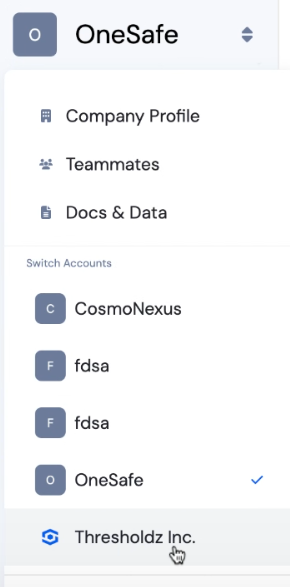
Switch between organizations
Use the dropdown in the top left corner to switch seamlessly between organizations.
Add a new companies
Click “Apply for a new account.”
Complete the setup, including KYC submission, for your new entity.
Linking existing companies
Log into the company account.
Go to Teammates in the top left menu.
Invite your email as a teammate and set the role to Admin.
Accept the invitation.
Once accepted, you’ll see all your organizations in the top-left menu and can easily swap between them.
Tip:
In the Company Profile, rename your organization to something recognizable (e.g., “OneSafe CA” for a Canadian entity).