How to approve or decline reimbursements?
Last updated: May 20, 2026
This article explains how admins can review reimbursement requests submitted by team members and either approve or decline them.
Admins have full visibility into request details, including the amount, payment method, and notes, before taking action.
Before you Start
Only admins can approve or decline reimbursement requests.
Team members can submit reimbursement requests but cannot review or approve them.
Read more here on Roles and Permissions.
How to approve or decline a reimbursement
Open the Reimbursements tab
From the dashboard, go to Reimbursements to view all submitted requests.
Select a reimbursement request
Click on a request to open its details.

Review the request details
Review the following information carefully:Beneficiary name
Amount
Payment method and network
Wallet or bank details
Notes from the requester
Source account
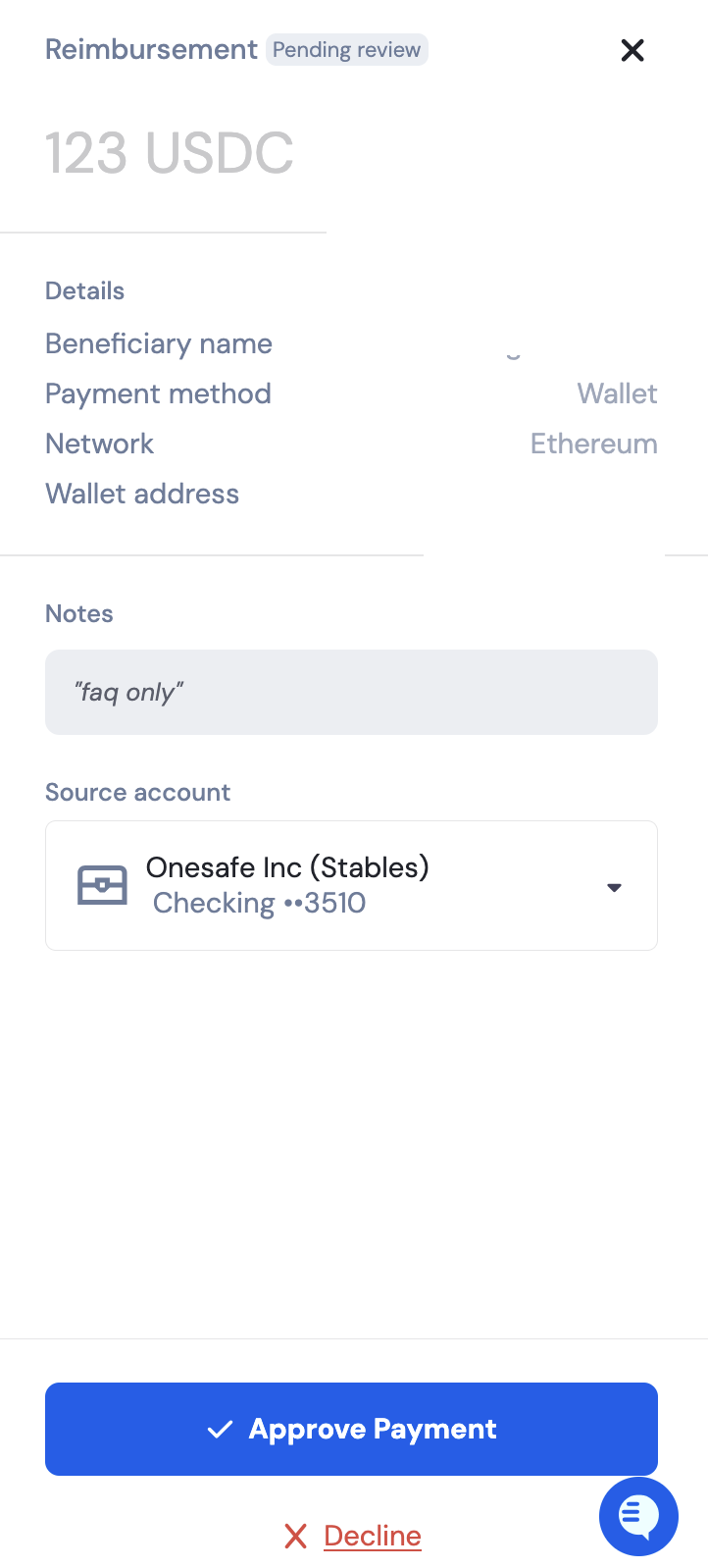
Approve or decline
Click Approve payment to process the reimbursement.
Click Decline to reject the request.
Once approved, you’ll be redirected to the sending summary screen. Click Send Payment to complete the reimbursement.
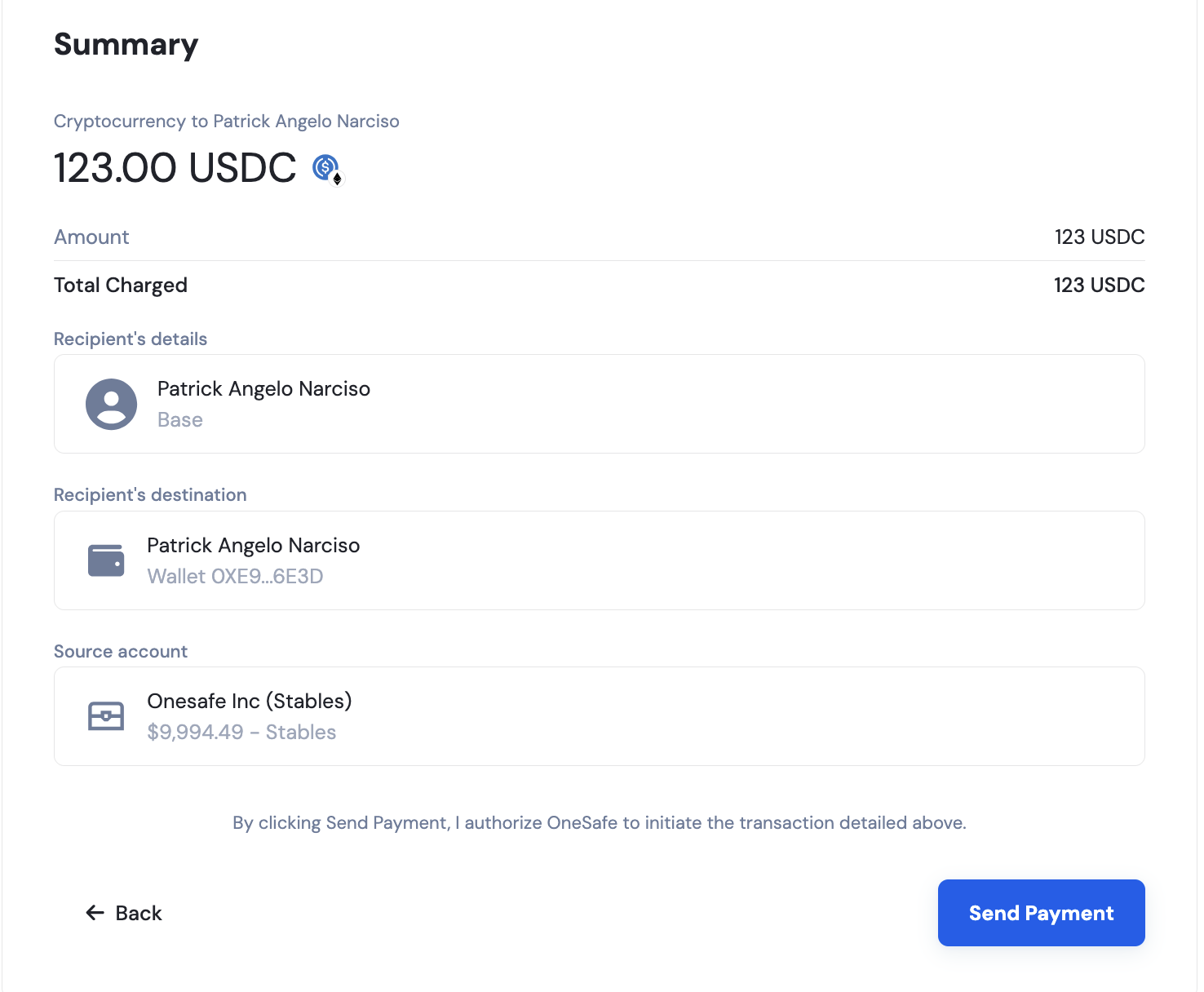
What happens next?
Approved requests are processed using the pre-selected payment method and selected source account.
Declined requests are marked as declined and are not paid.
The requester can see the updated status of their reimbursement.