How to request a reimbursement?
Last updated: July 24, 2026
Reimbursements allow teams to efficiently manage out-of-pocket expenses directly within the platform.
This article explains to team members how to request for reimbursement. To learn how to review, approve, or decline reimbursement requests and complete the reimbursement process, refer to our related article.
How to approve or decline reimbursements?
Before you start
Make sure your payment details are set up before submitting a reimbursement request.
Only team members can submit reimbursement requests.
Only admins can approve or decline reimbursements.
Read more here on Roles and Permissions.
How to request a reimbursement
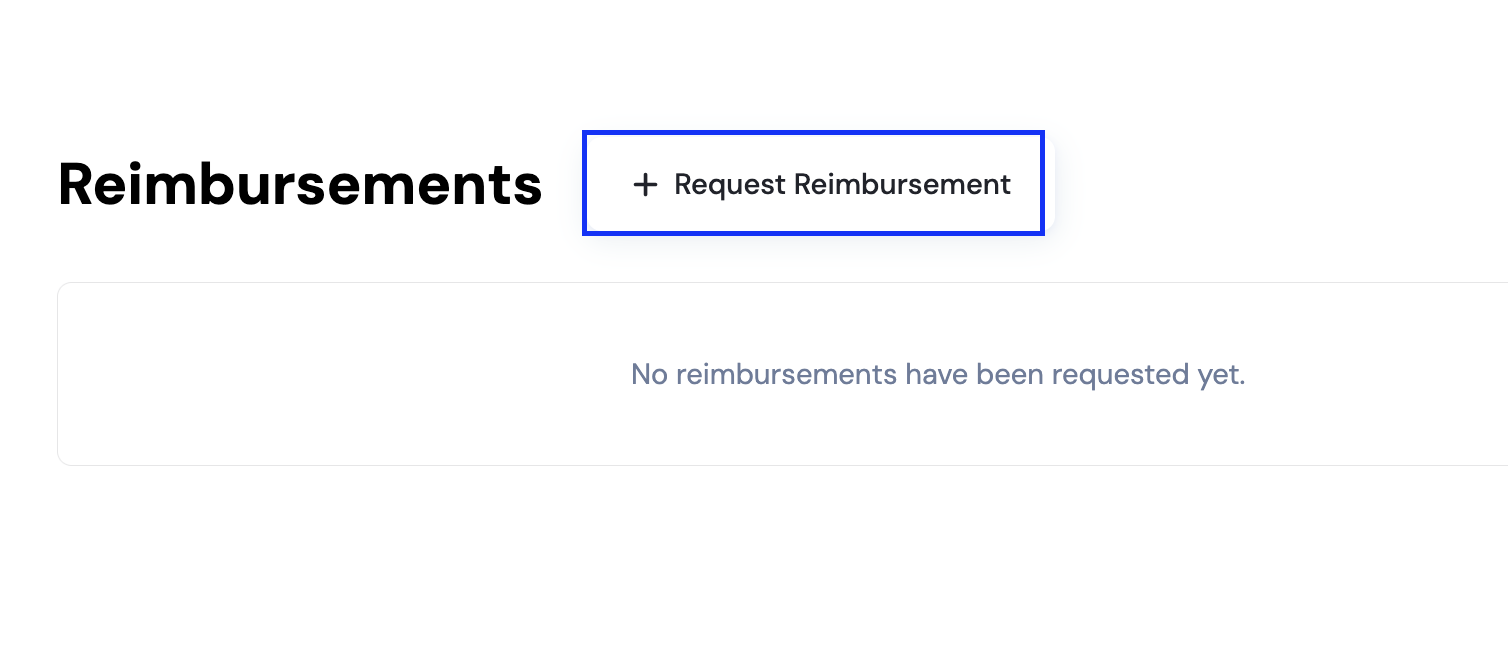
Go to the Reimbursements tab
From your dashboard, open Reimbursements.Click “Request reimbursement”
Select Request Reimbursement to start a new request.
Enter the reimbursement details
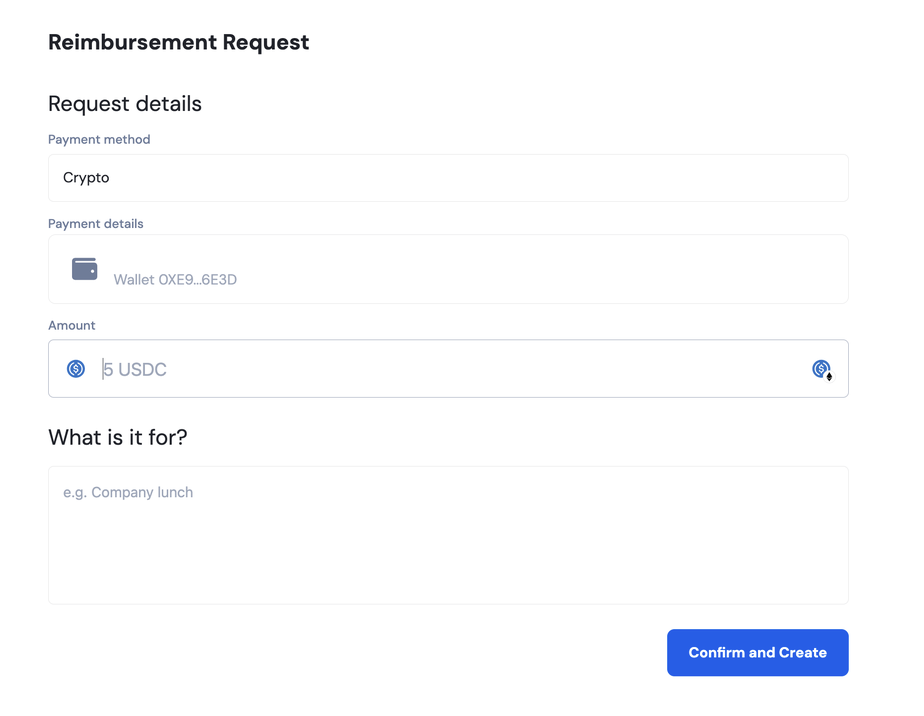
Fill in the required information, including:Payment method
Payment details
Amount
Description (what the expense is for)
Submit the request
Click Confirm and Create to submit your reimbursement.