How to attach a document in transactions
Last updated: July 10, 2026
There are two ways to attach a document to a transaction, depending on what you're uploading.
Use the invoice/bill attachment when the document is tied to a specific payment you're making or reconciling, and use the general attachment when you just want to keep a receipt, contract, or other reference on file for bookkeeping.
Invoice/bill attachment
To add an invoice or bill attachment to your transaction, follow these steps:
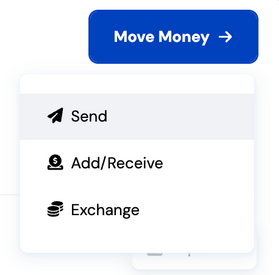
1. Click "Move Money" on your dashboard, then select "Send."
Click the field under the "Upload a bill" or drag and drop the document.
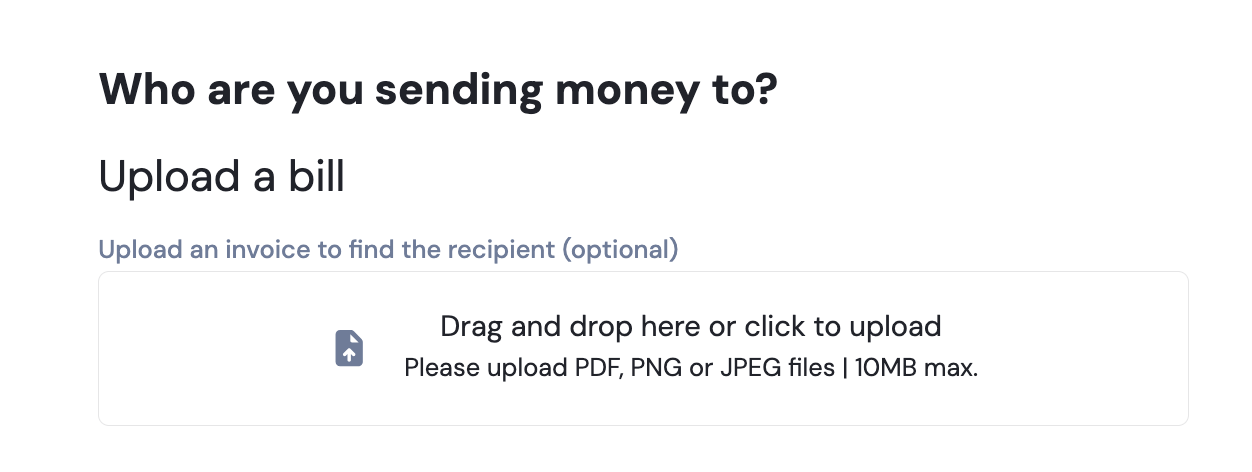
Our system will then automatically match the bank account details to address book entry that you have. If there are no matches, you would have to enter it manually afterwards.
General attachment
To attach documents to your transactions, follow the guide:
1. Click "Move Money" on your dashboard, then select "Send."
2. On the right side of the screen, click the attach document icon. This will open your file explorer.
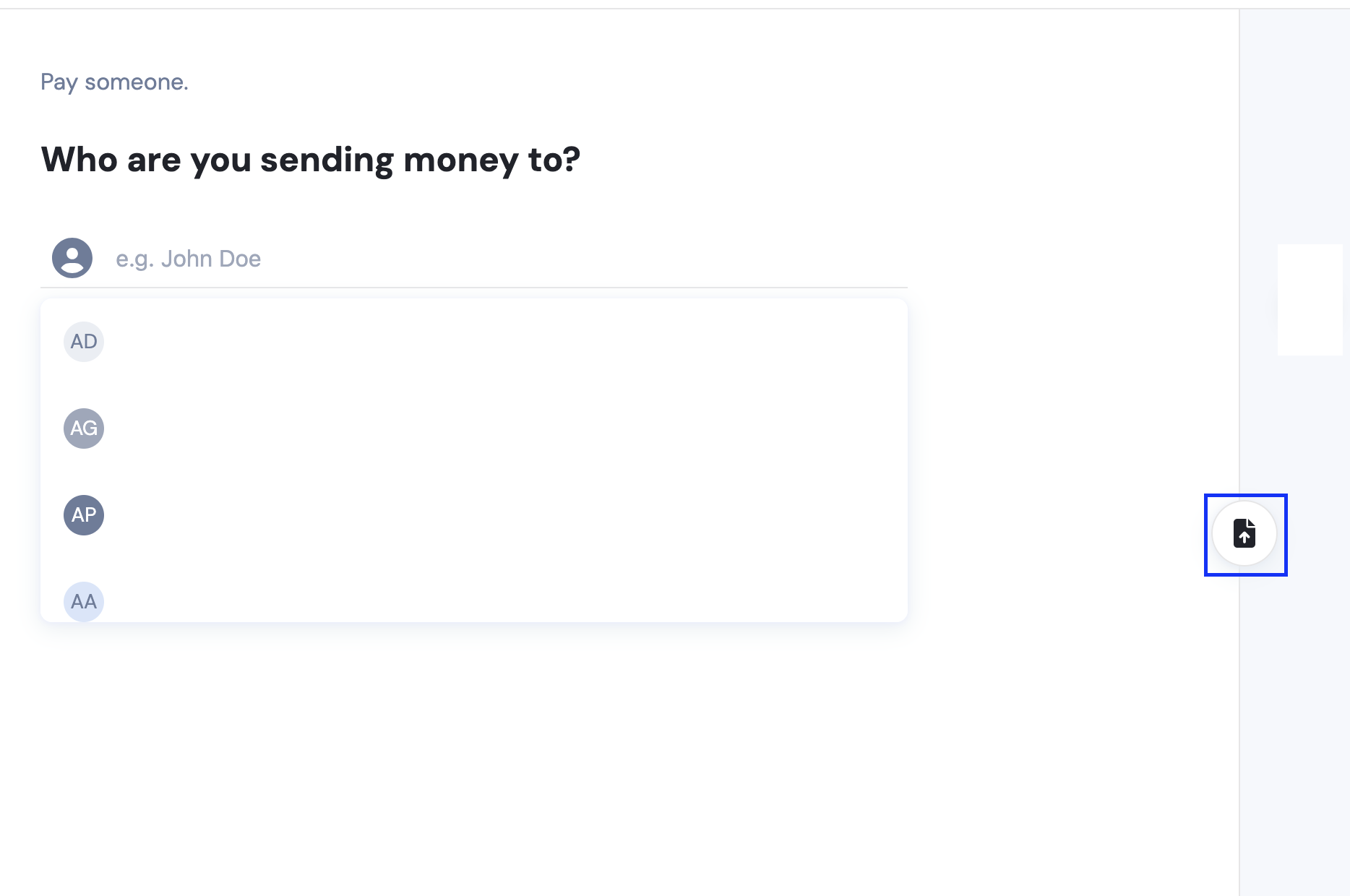
3. Select the document
Choose the appropriate document and click "Open."