Onesafe Knowledge BaseOnesafe Knowledge Base
All Collections›Transactions

How can I add a recipient?

Last updated 1 month ago
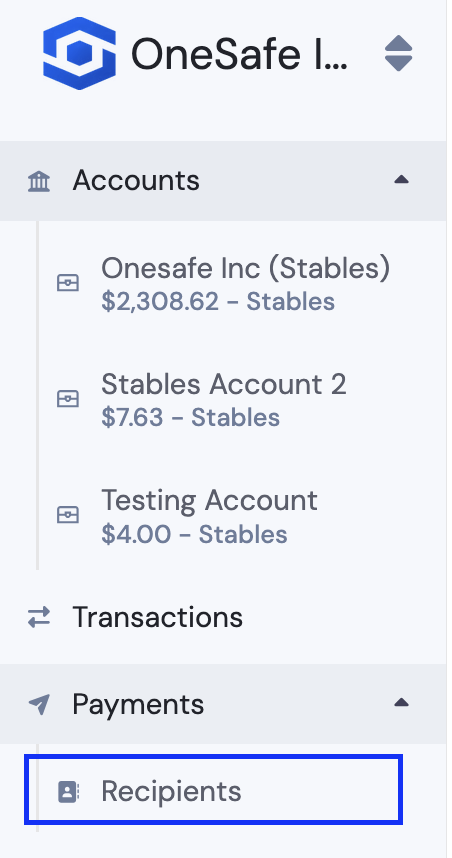
  1. Click "Recipient" under "Payments"

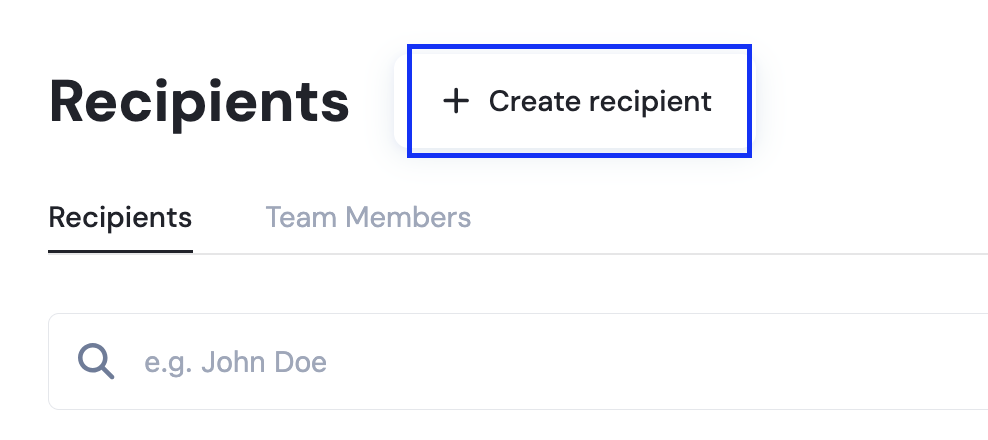
  1. Select "Create New Recipient"

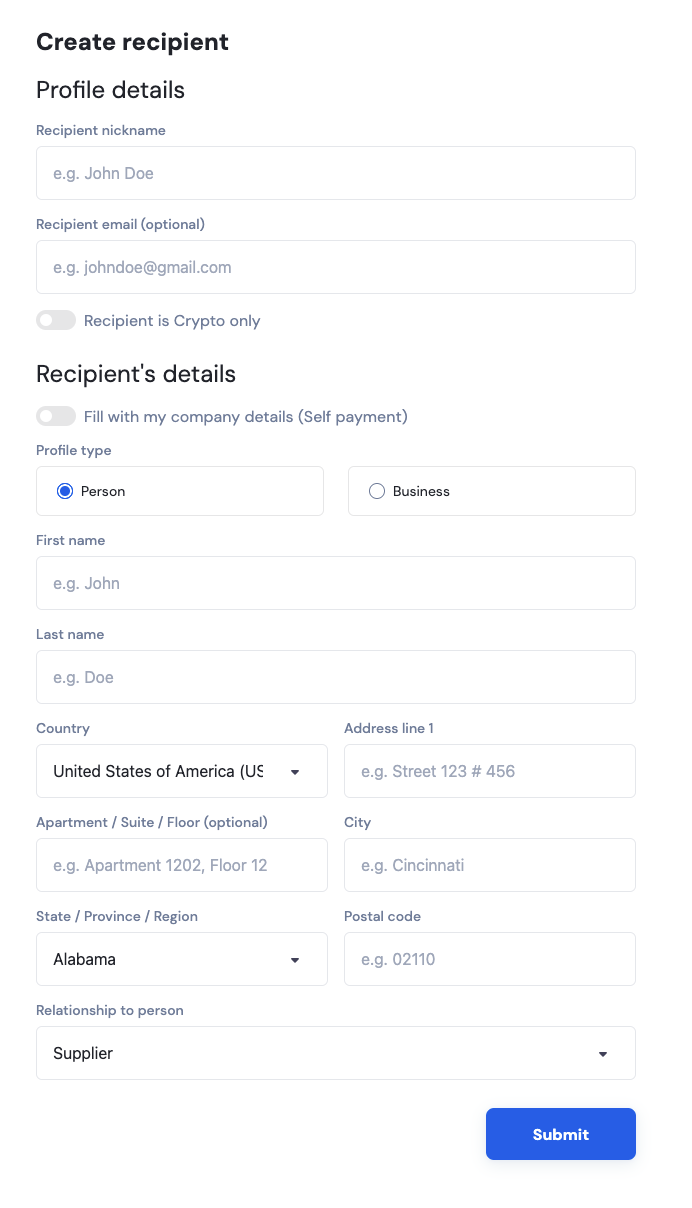
  1. Fill in the details and then submit.

Related Articles
What are the different address types? How to view the attachment to the transaction How do I filter transactions by recipient name? Why am I getting a name mismatch warning on my SEPA payment? Why does my crypto sending address keep changing? And why is it different from my deposit address?
Onesafe Knowledge Base Powered by Pylon